# DateTime

## DateTime (datetime)

[![image-1590497491784.gif](https://docs.intalioservices.com/uploads/images/gallery/2020-05/erpAH4uqVmu3rW4l-image-1590497491784.gif)](https://docs.intalioservices.com/uploads/images/gallery/2020-05/erpAH4uqVmu3rW4l-image-1590497491784.gif)

Example:

```JSON
{
   "size":"s12 m12",
   "type":"datetime",
   "id":"ExampleID",
   "label":"Example Label",
   "validate":[
      ""
   ],
   "icon":"person",
   "hidden":false,
   "datetime_config":{
      "locale":"English",
      "enableTime":false,
      "mode":"range",
      "time_24hr":true,
      "dateFormat":"Y-m-d H:i:00",
      "altInput":true,
      "altFormat":"Y-m-d H:i"
  
```

### datetime\_config

The date and time component is very extensive. The whole configuration in this case is in "datetime\_config" and is passed directly to the component.

### locale

Calendar language

### enableTime

If you want the calendar to also display a component for time selection, you must have this option checked.

### time\_24hr

24-hour date format.

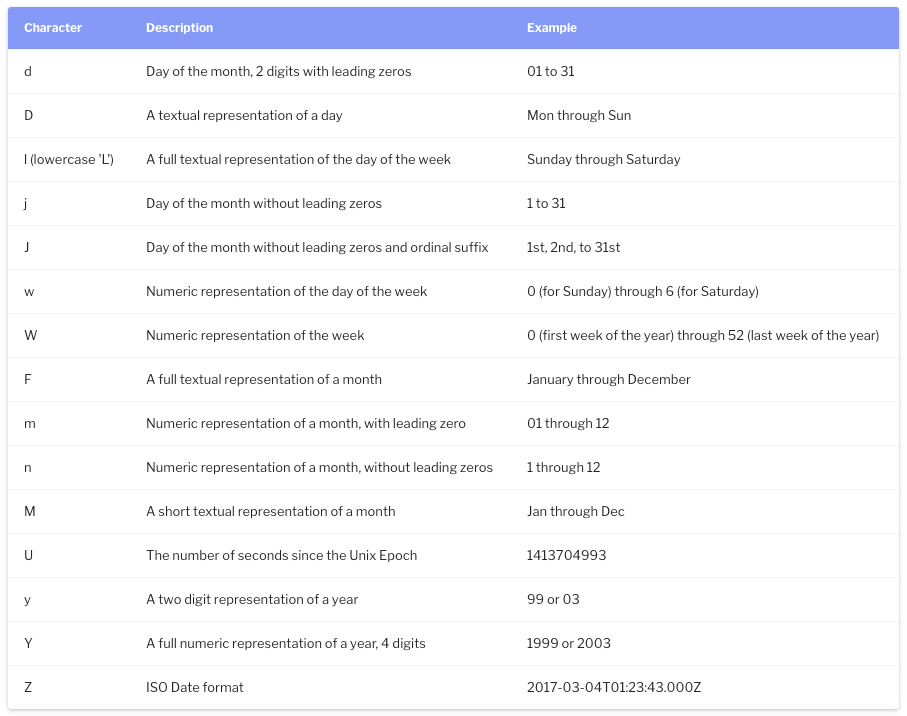
### dateFormat

Output format, you can determine whether you want to send the day, month, year, hour, minute or you want to format it completely different.

<p class="callout warning">This is an output format not shown on the screen! To change the format of the data displayed on the screen, use "altInput".</p>

[![image-1590498552766.png](https://docs.intalioservices.com/uploads/images/gallery/2020-05/scaled-1680-/yNYTiqpIV1YKbNwF-image-1590498552766.png)](https://docs.intalioservices.com/uploads/images/gallery/2020-05/yNYTiqpIV1YKbNwF-image-1590498552766.png)

### altInput

Do you run an alternative date display.

### altFormat

Alternative date display, i.e. the outgoing date will be formatted on the basis of "dateFormat", but will be displayed on the basis of "altFormat"

### noCalendar

Display only the component responsible for the time.

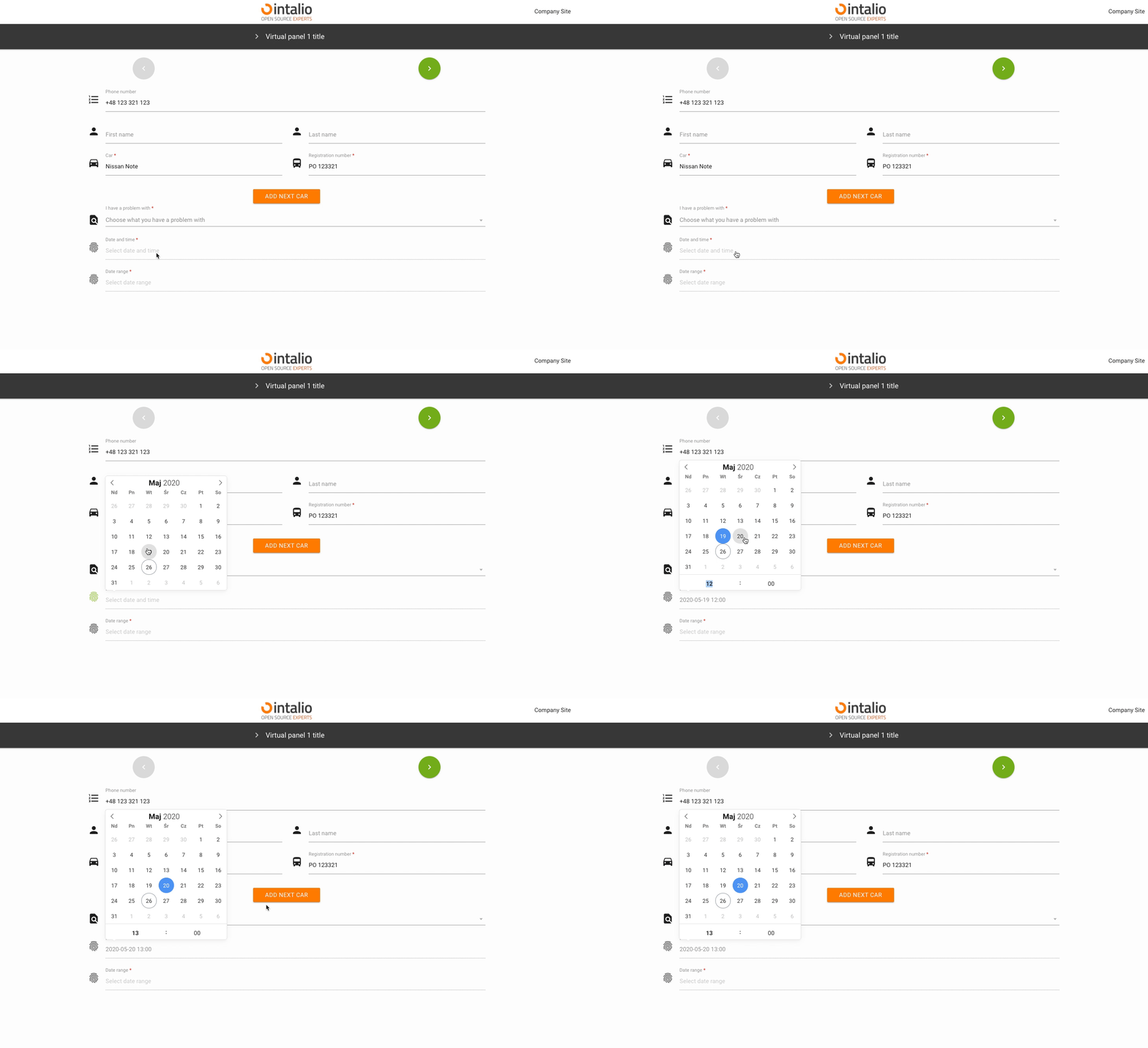
### mode

Calendar mode. You can set whether someone should select a single date, a date range or whether they can select several independent dates.

#### none

A simple action.

[![image-1590501699889.gif](https://docs.intalioservices.com/uploads/images/gallery/2020-05/MmIBLbDBLouge2pk-image-1590501699889.gif)](https://docs.intalioservices.com/uploads/images/gallery/2020-05/MmIBLbDBLouge2pk-image-1590501699889.gif)
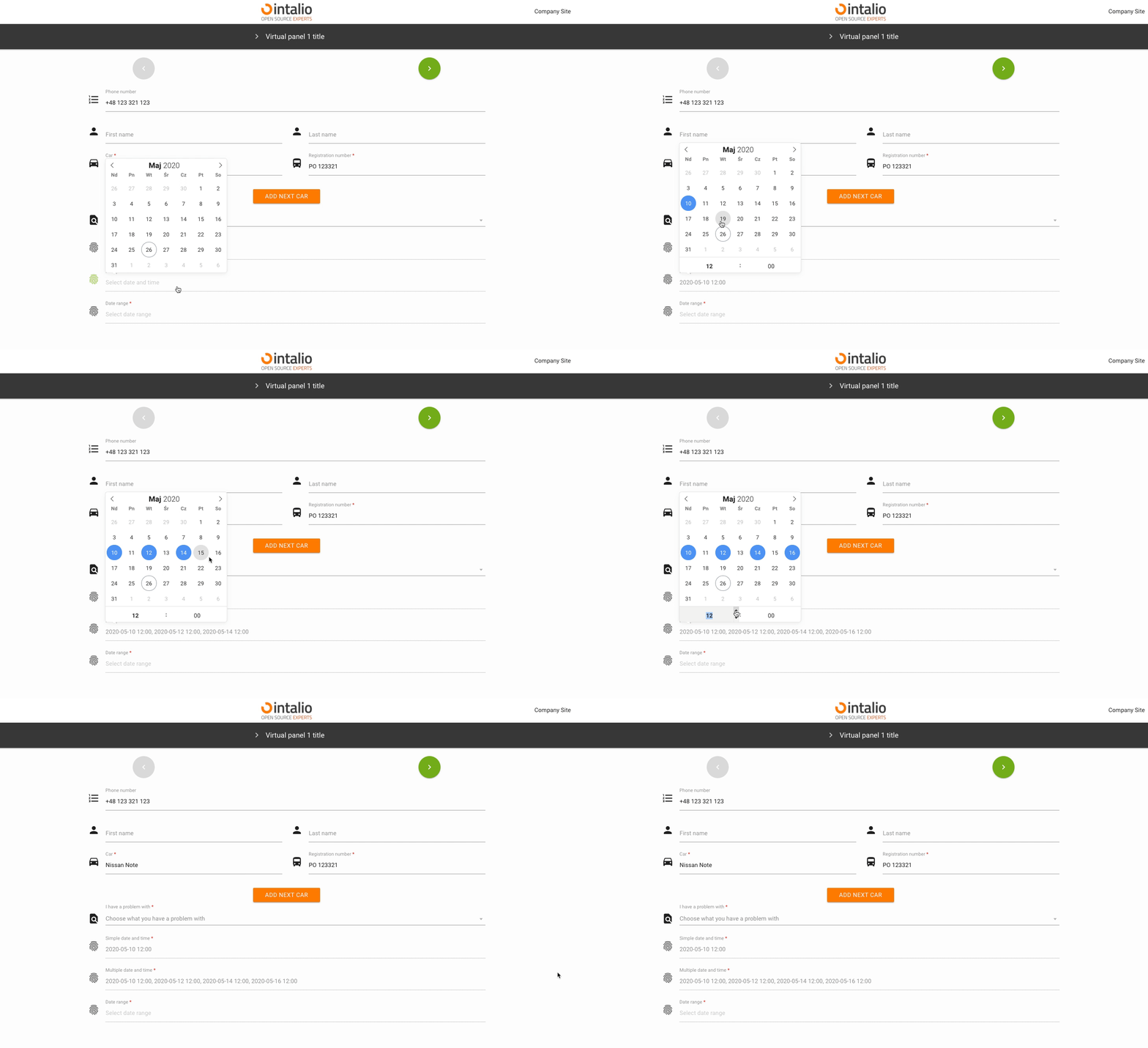
#### multiple

Multiple date selection.

[![image-1590502680596.gif](https://docs.intalioservices.com/uploads/images/gallery/2020-05/ORGNLIN8n34zUj8n-image-1590502680596.gif)](https://docs.intalioservices.com/uploads/images/gallery/2020-05/ORGNLIN8n34zUj8n-image-1590502680596.gif)
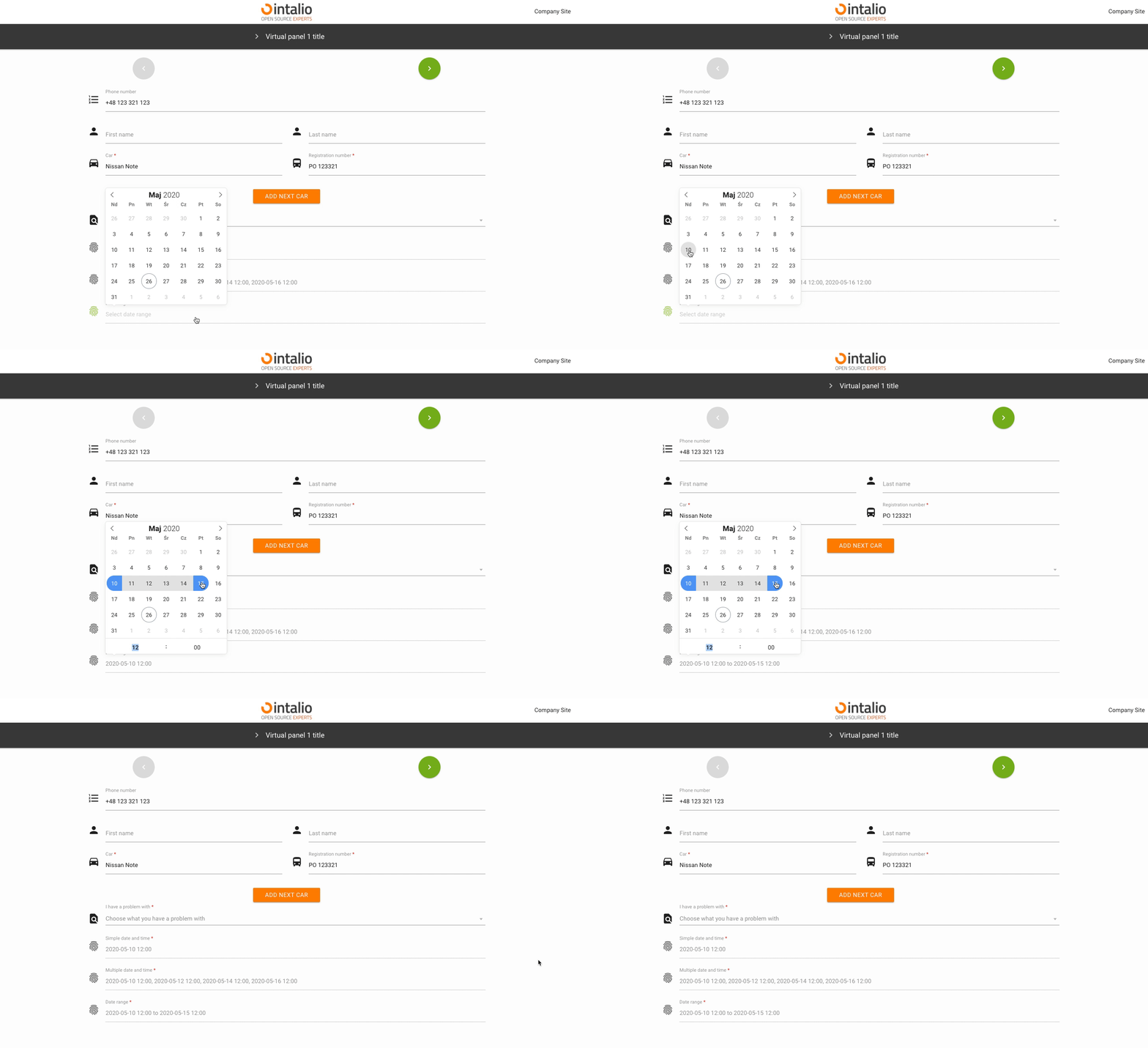
#### range

Selectable date range.

[![image-1590502727262.gif](https://docs.intalioservices.com/uploads/images/gallery/2020-05/DcEKrIZEGlvw1rSC-image-1590502727262.gif)](https://docs.intalioservices.com/uploads/images/gallery/2020-05/DcEKrIZEGlvw1rSC-image-1590502727262.gif)
### enable

Add the ability to select dates only from specific date ranges.

#### from

#### to

### The rest of the available parameters:

<p class="callout info">This field supports all parameters with ["Attributes available for each field".](https://docs.intalioservices.com/books/dynamic-forms---installation-and-administrators-guide/page/attributes-available-for-each-field "Attributes available for each field")</p>

<p class="callout info">[FlatPickr options](https://flatpickr.js.org/options/)</p>