Thanks to this solution, the person filling in the form can click the button to copy any number of fields.
Field identifiers will be generated according to the following pattern: *field name \_ clone number \_ internal number*
**Full example:** ```JSON { "size": "s12 m6", "type": "text", "id": "carModel", "label": "Car", "icon": "drive_eta", "validate": [ "required" ], "hidden": false, "value": "" }, { "size": "s12 m6", "type": "text", "id": "carType", "label": "Registration number", "icon": "directions_bus", "validate": [ "required" ], "hidden": false, "value": "" }, { "size": "s12 m12 center", "type": "button", "id": "clone_btn", "mode": "clone", "label": "Add next car", "clone_additional_shift": -2, "clone_fields": [ { "id": "carModel" }, { "id": "carType" } ] } } ``` ##### clone\_additional\_shift Where are the new cloned fields to appear. Enter the number of fields from the button e.g. -1, then the fields will appear before the button.The mechanism takes both positive and negative numbers.
##### clone\_fields List of cloned fields. Here you give a list with the ID of the fields you want to copy. #### PDF [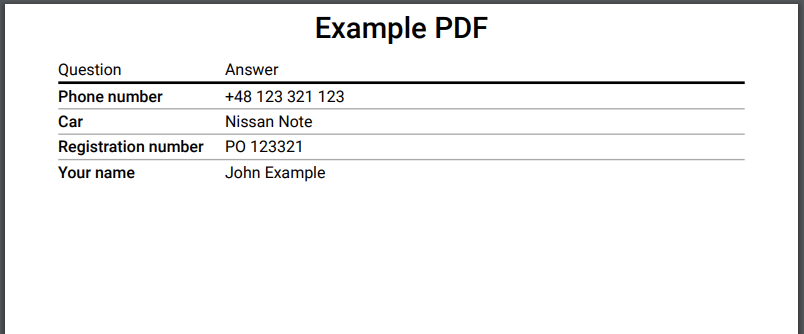](https://docs.intalioservices.com/uploads/images/gallery/2020-05/7xWs43bpMCPapNfG-image-1590411076866.png) The PDF field allows you to generate a PDF printout of the entire form. You can download the file, print it or just open it in a new tab.To generate a PDF file, you must have a field with the id "OTRS\_Ticket\_Title" this field will be set as the print title.
##### pdf\_action In this parameter you set what should happen to the generated file, you have several options available: - open - print - download ##### question\_label title of the first column of the resulting file. ##### answer\_label the title of the second column of the resulting file. #### redirect The redirection button. When you click it will take you to any other site. ##### redirect\_type Type of redirection, available: - **newWindow** - redirection to the address in the new tab - **redirect** - redirection in the current card ##### redirect\_url An address to redirect. ##### *version >= 1.2.9* The system allows you to add the `SessionID` and `LANG` parameter to the url (the parameters are automatically set based on the current. ``` { "size": "s12 m12 center", "type": "button", "id": "redirect_with_session", "mode": "redirect", "label": "Redirect with session", "redirect_type": "newWindow", "redirect_url": "https://google.pl?SessionID=${SessionID}&lang=${LANG}" } ``` *Such a setting will redirect to the following link:* https://google.pl?SessionID=123123&lang=en ### ### The rest of the available parameters:This field supports all parameters with ["Attributes available for each field".](https://docs.intalioservices.com/books/dynamic-forms---installation-and-administrators-guide/page/attributes-available-for-each-field "Attributes available for each field")