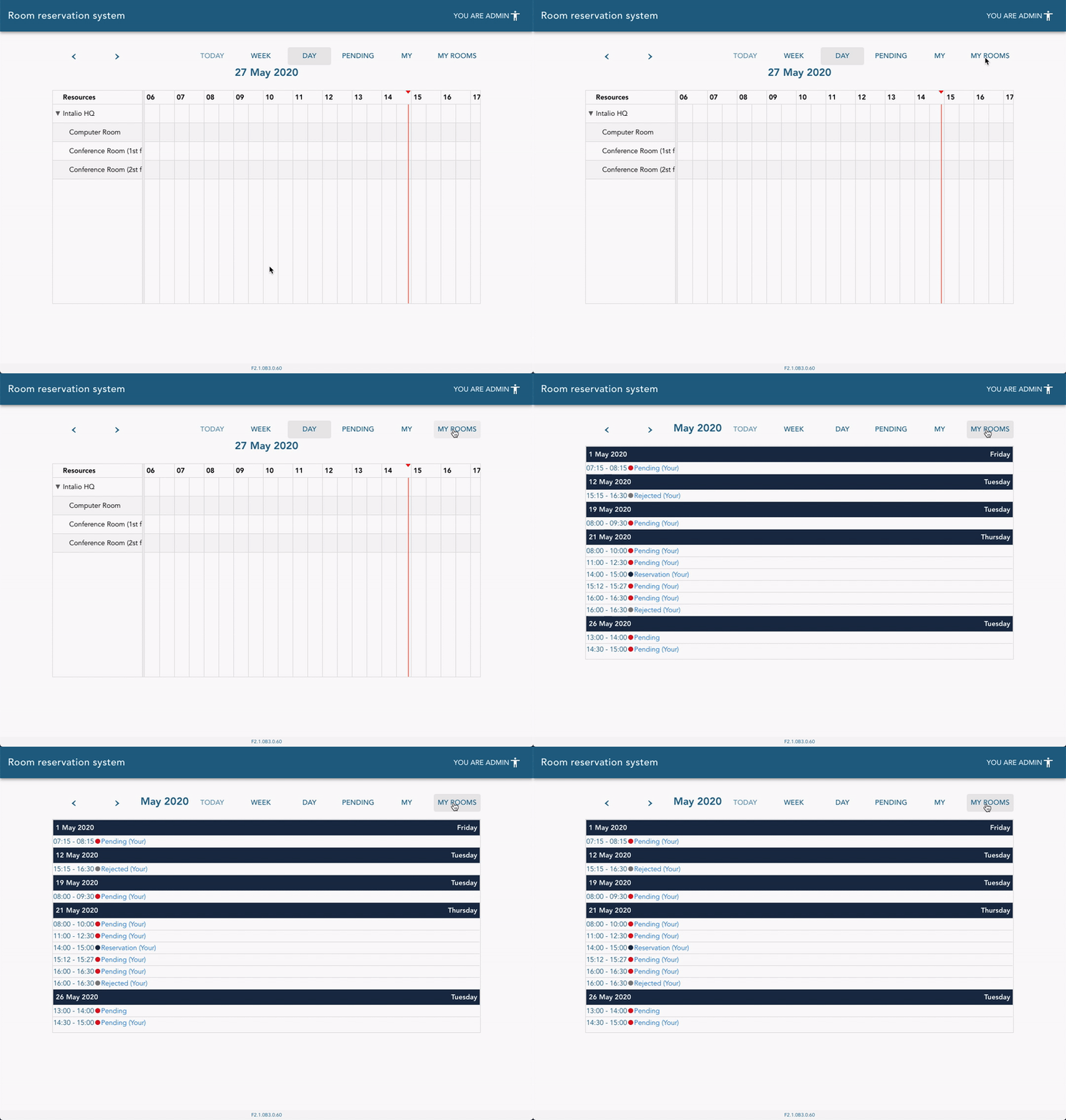
Check out [this link](https://docs.intalioservices.com/books/conference-rooms---users-guide/page/how-to-get-to-the-conference-rooms "How to get to the Conference Rooms") if you don't know how to get to the dashboard.
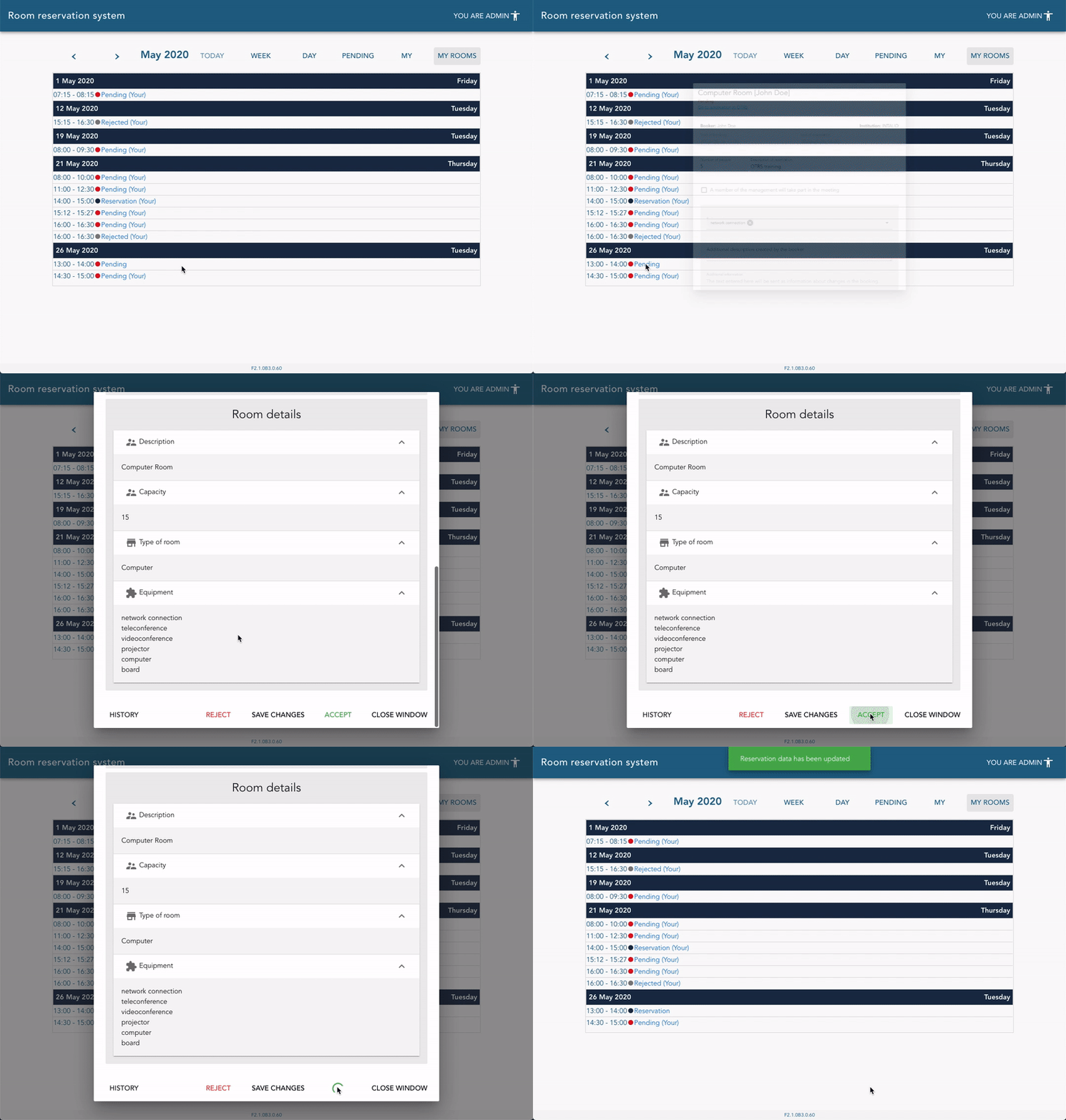
[](https://docs.intalioservices.com/uploads/images/gallery/2020-05/gCHPFumY2CBBErDe-image-1590584202553.gif) ### Taking action (accept, reject, release, edit) Go to the reservations details by clicking on the event in the calendar or a list. You will see available actions on the bottom of the details form.Action buttons visibility is strictly dependent on your current role and reservation state. [Read more about permissions here](https://docs.intalioservices.com/books/conference-rooms---users-guide/page/actions-and-permission "Actions and permission").
[](https://docs.intalioservices.com/uploads/images/gallery/2020-05/OTBNzT7CloG0Q0Qd-image-1590586020742.gif)