# OTRS package installation

The Conference Rooms package for OTRS (`.opm` file) is responsible for installing all necessary system components including:

- Database tables
- Dynamic Fields
- Backend files
- Frontend files

---

To install the package, login to your OTRS system and open the *Admin / Overview* page.   
  
[![image-1586871001935.png](https://docs.intalioservices.com/uploads/images/gallery/2020-04/scaled-1680-/tUVq6XcHp2xOcUfd-image-1586871001935.png)](https://docs.intalioservices.com/uploads/images/gallery/2020-04/tUVq6XcHp2xOcUfd-image-1586871001935.png)

---

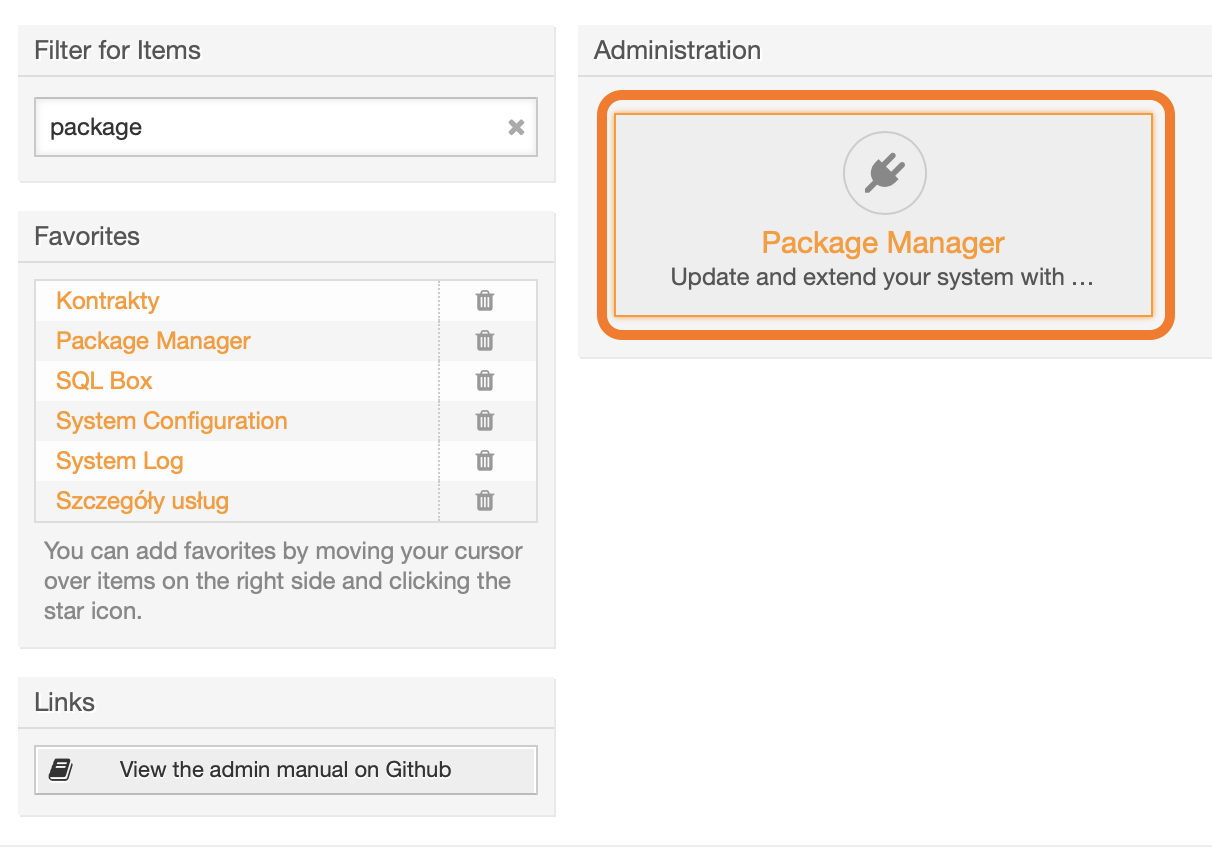
Find the Package Manager.

<p class="callout info">You can use the **Filter for Items** field to narrow down visible options.</p>

  
[![image-1586871252743.png](https://docs.intalioservices.com/uploads/images/gallery/2020-04/scaled-1680-/CEmLfHTOLr7IXzum-image-1586871252743.png)](https://docs.intalioservices.com/uploads/images/gallery/2020-04/CEmLfHTOLr7IXzum-image-1586871252743.png)

---

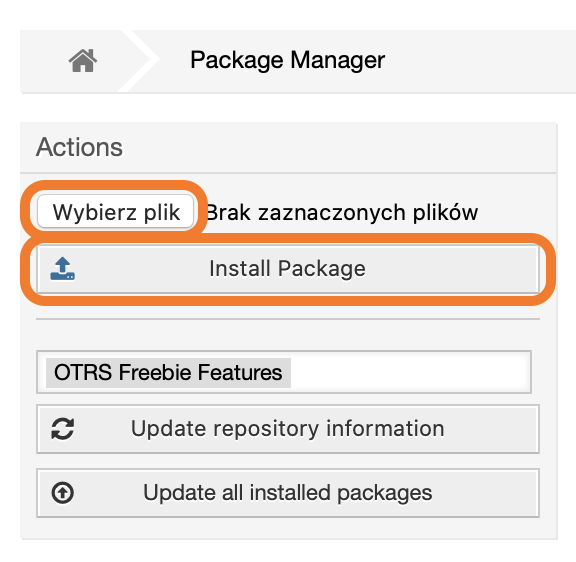
In the **Actions** block on the left, click *Choose file,* upload the **opm** file and click *Install Package*.

[![image-1586871458563.png](https://docs.intalioservices.com/uploads/images/gallery/2020-04/scaled-1680-/GbZd1cIKLUxBxxjH-image-1586871458563.png)](https://docs.intalioservices.com/uploads/images/gallery/2020-04/GbZd1cIKLUxBxxjH-image-1586871458563.png)
---

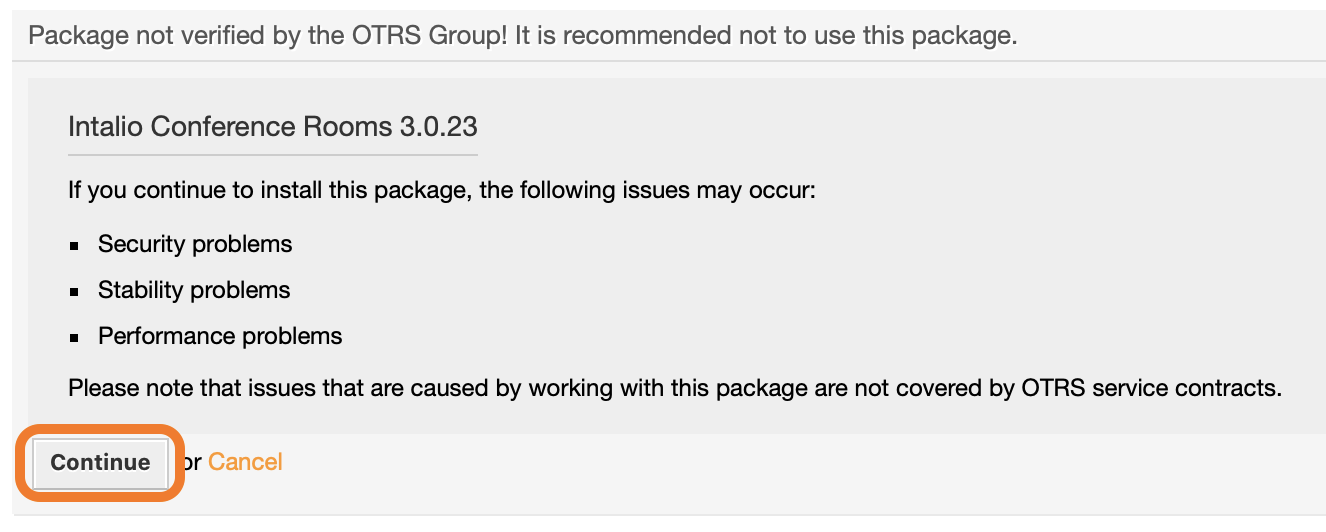
If you see a notification about an unverified package, click Continue to proceed with the installation.

[![image-1586871940524.png](https://docs.intalioservices.com/uploads/images/gallery/2020-04/scaled-1680-/xBZeQ73ADUbF9diD-image-1586871940524.png)](https://docs.intalioservices.com/uploads/images/gallery/2020-04/xBZeQ73ADUbF9diD-image-1586871940524.png)
---

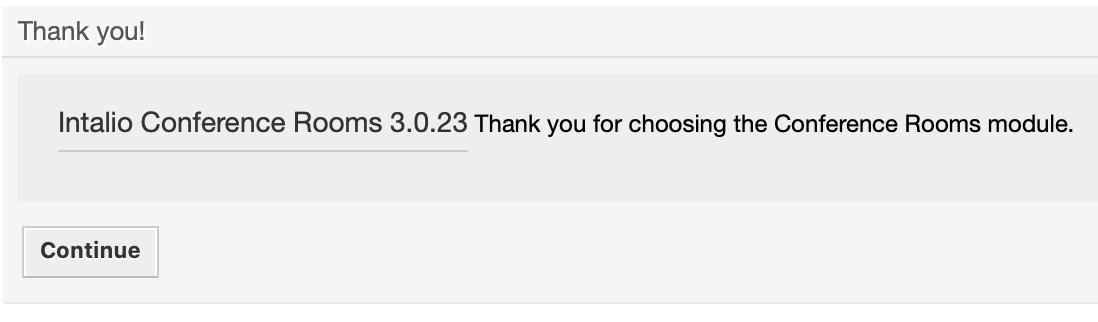
If the installation was successful, you should see a welcome message on the screen.

[![image-1586872026113.png](https://docs.intalioservices.com/uploads/images/gallery/2020-04/scaled-1680-/w5BtkS3iarj3lpKQ-image-1586872026113.png)](https://docs.intalioservices.com/uploads/images/gallery/2020-04/w5BtkS3iarj3lpKQ-image-1586872026113.png)
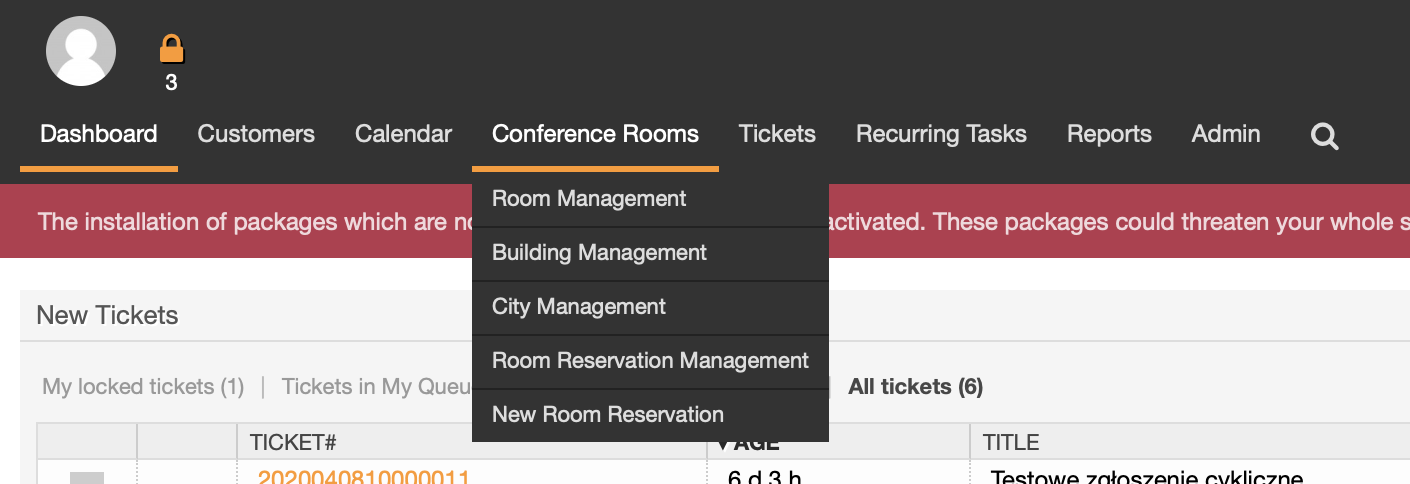
The new tab is also visible in the main navigation bar.

[![image-1586873909116.png](https://docs.intalioservices.com/uploads/images/gallery/2020-04/scaled-1680-/BbE8W4VyNX2180mH-image-1586873909116.png)](https://docs.intalioservices.com/uploads/images/gallery/2020-04/BbE8W4VyNX2180mH-image-1586873909116.png)
---

<p class="callout warning">Please note that the installation process might take a while. As long as the installation process is not completed the yellow bar will be displayed on top of the page.</p>

[![image-1586873724467.png](https://docs.intalioservices.com/uploads/images/gallery/2020-04/scaled-1680-/DccjfBMY7u6a1zoJ-image-1586873724467.png)](https://docs.intalioservices.com/uploads/images/gallery/2020-04/DccjfBMY7u6a1zoJ-image-1586873724467.png)